
TBC Unite App
The TBC Unite App is available on the Apple App Store and Google Play through private links. It allows members of the TBC Community to view networks, pray for community prayer requests, join prayer campaigns, and submit prayer requests. It’s still in beta, but we’d love for you to try it!


This page demonstrates how to use the TBC Unite App to pray for people in the TBC Community
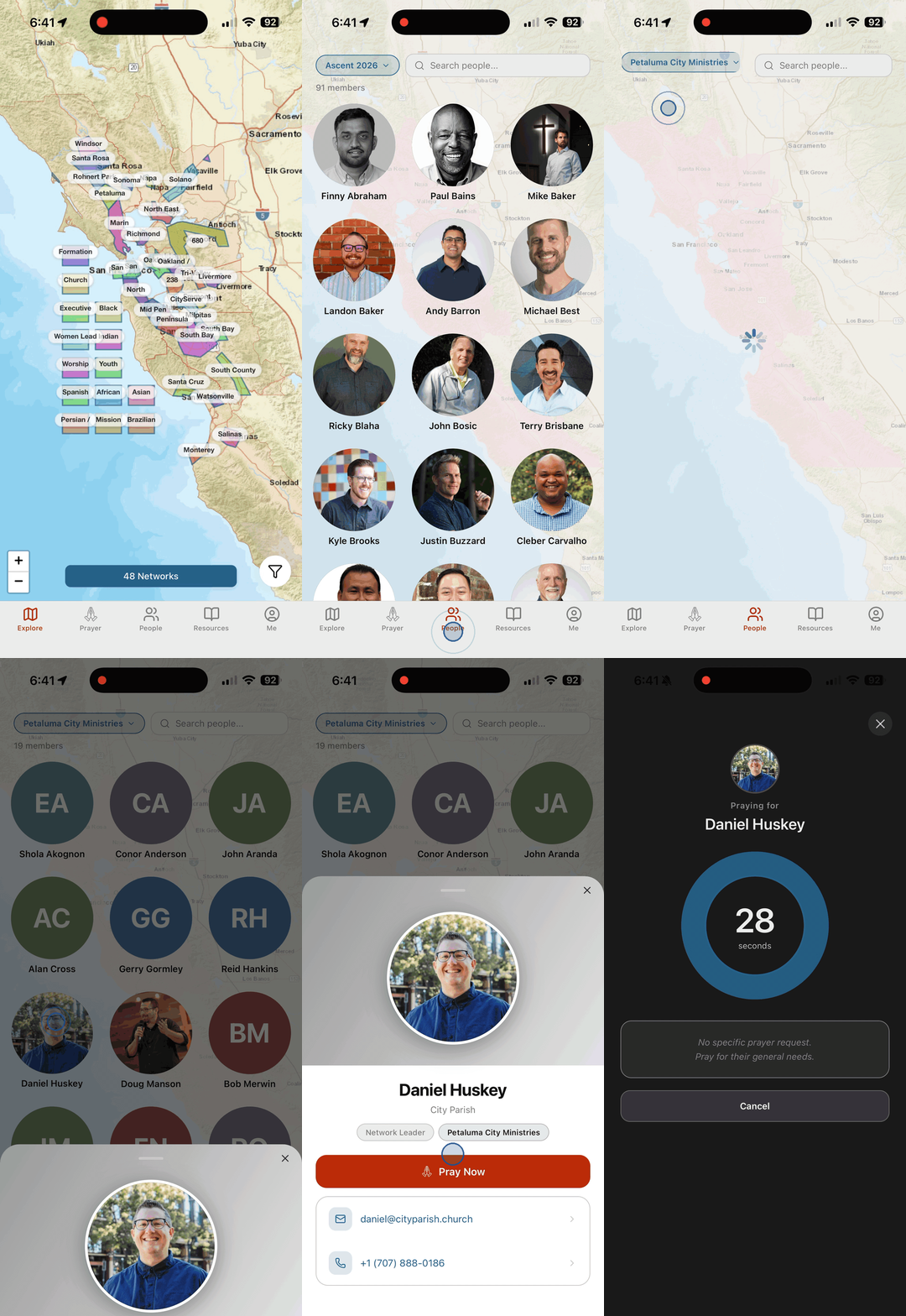
PRAY FOR SOMEONE IN YOUR NETWORK
Start on the Map (Explore) screen
Tap the People tab in the bottom navigation
Tap the Network Selector in the top right
Tap your network (Petaluma City Ministries)
Select someone in particular (Daniel Huskey)
Tap Pray Now to open the prayer page
PRAY!
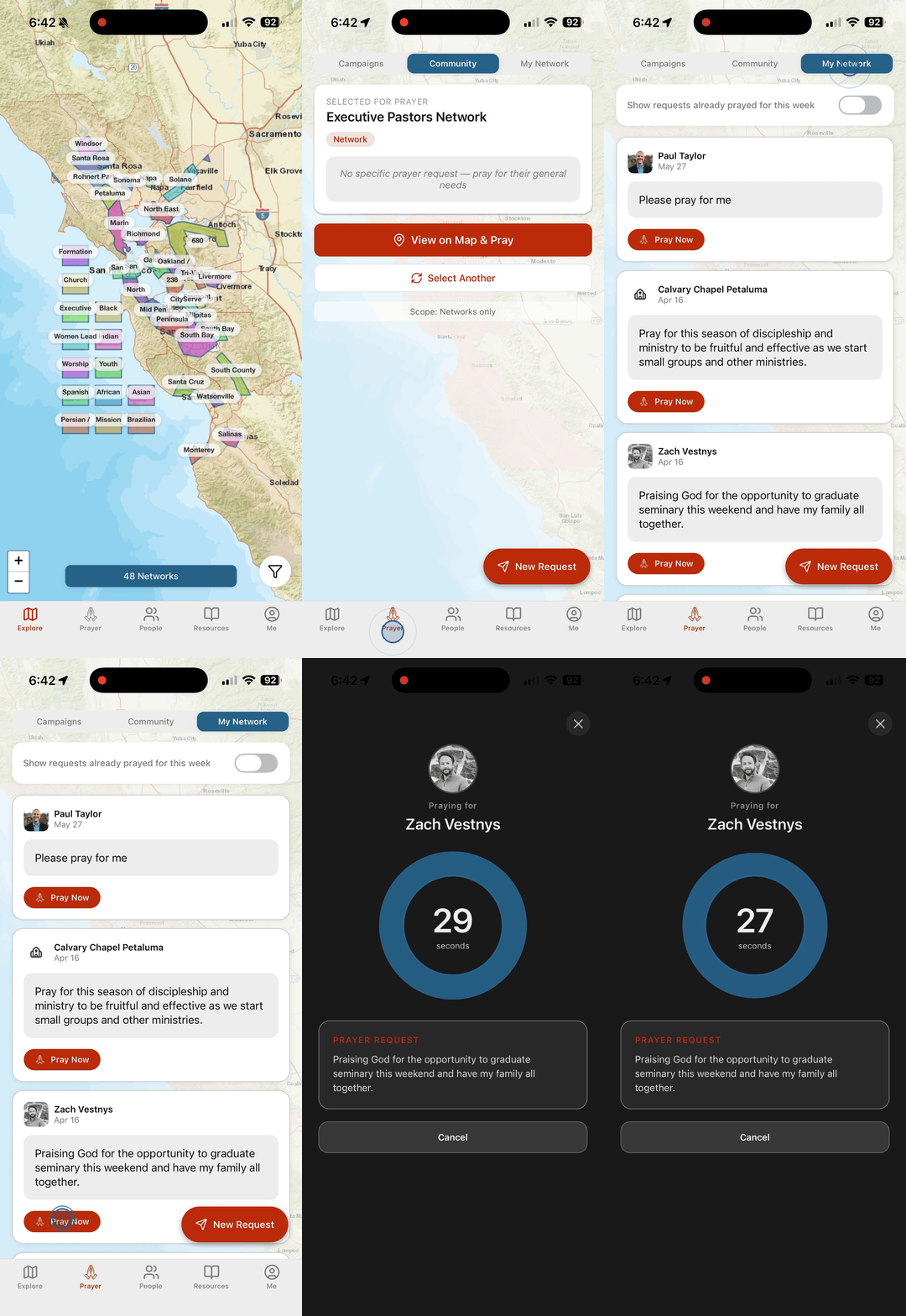
PRAY FOR A REQUEST IN YOUR NETWORK
Start on the Map (Explore) screen
Tap the Prayer tab in the bottom navigation
Tap the My Network tab at the top
Select a specific Prayer Request (Zach)
Tap Pray Now to open the prayer page
PRAY!
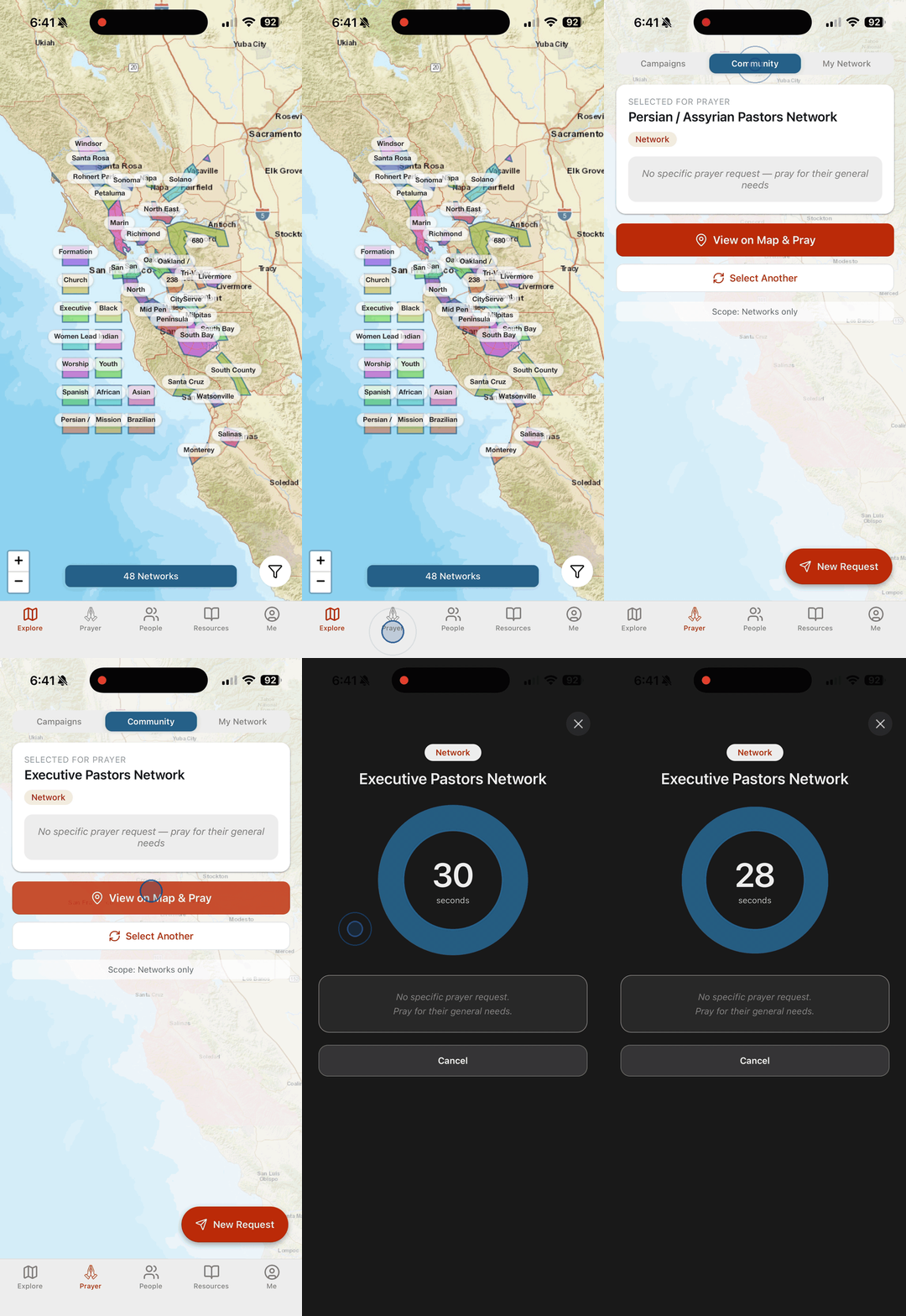
PRAY FOR A “RANDOMLY SELECTED” NETWORK
Start on the Map (Explore) screen
Tap the Prayer tab in the bottom navigation
Tap the Community tab at the top
Tap Select Another for a “randomly selected” network
Tap View on Map & Pray
Tap Pray Now to open the prayer page
PRAY!
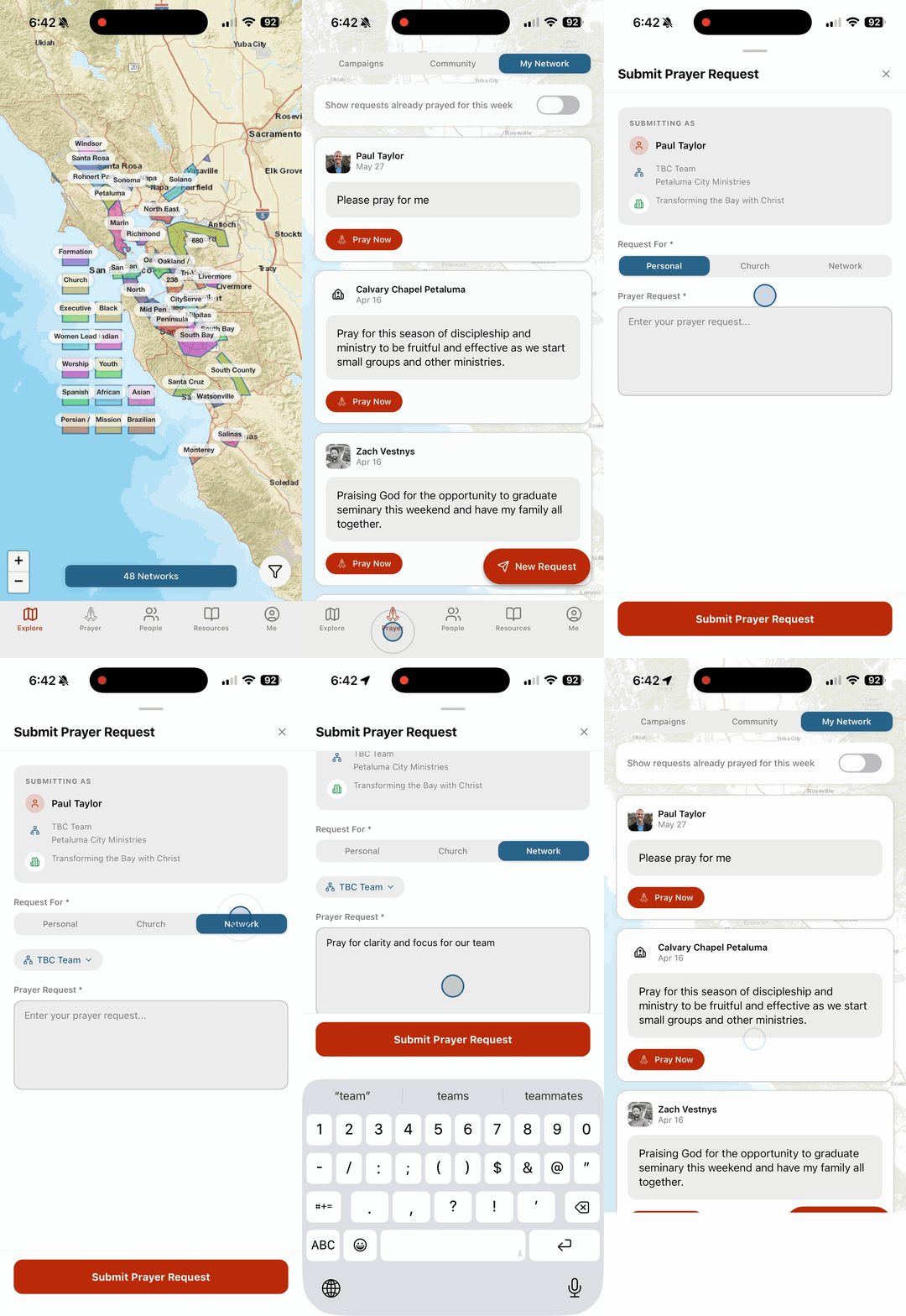
SUBMIT A NEW PRAYER REQUEST
Start on the Map (Explore) screen
Tap the Prayer tab in the bottom navigation
Tap New Request in the bottom right
Select from the Personal | Church | Network option to request prayer
Type your prayer request in the text field
Tap Submit Prayer Request